Job role vs. org role
draft · 2 image slots
Feta uses the word role for two different things, and you will meet both on the same screen. This article draws the line once, so every other article in this group can use both words without stopping to explain them. Five minutes, no clicking required.
The short version
- Your org role is your access level — what you can see and change in Feta. Owner, Admin, or Member.
- A job role is what you actually do for clients — Account Manager, SEO Specialist, Web Developer. Your workspace invents its own.
One person has exactly one org role and can hold as many job roles as fits. They answer different questions, and neither one implies the other.
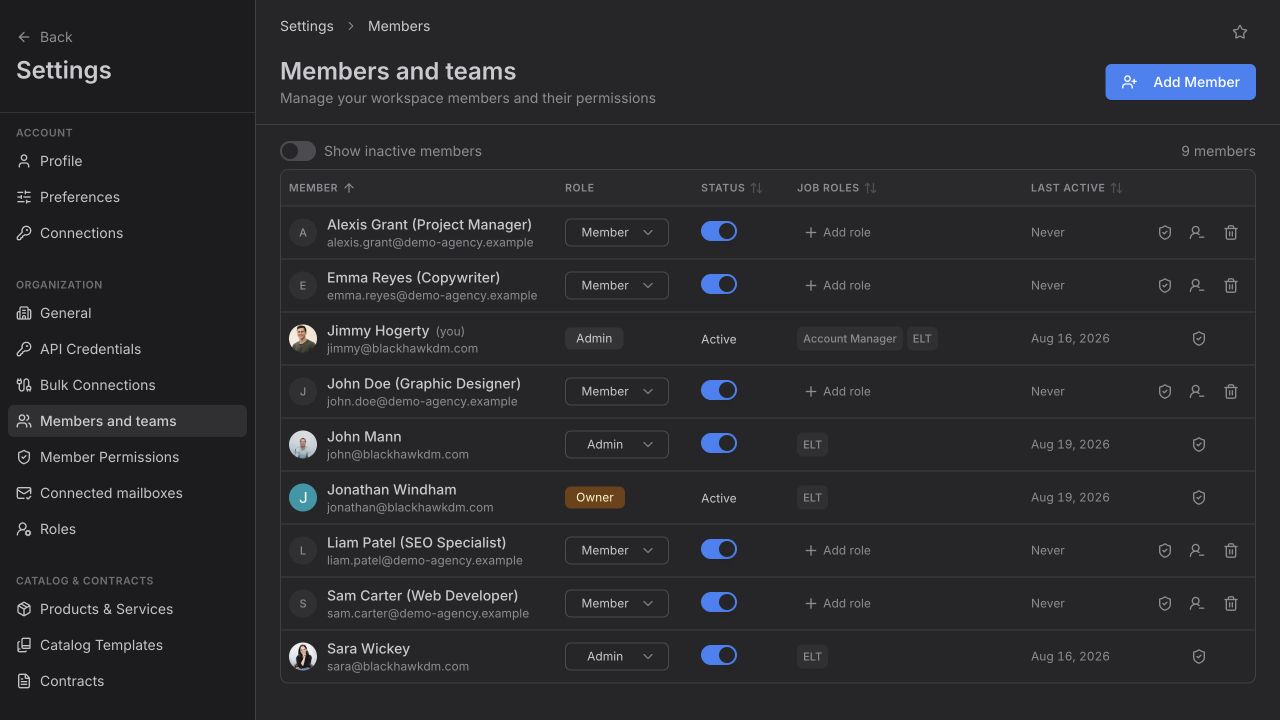
Org role: what you can touch
Your org role is set on one person at a time under Settings → Members and teams, in the column headed Role. It comes from a fixed list Feta ships — you can't add to it or rename it.
It governs administrative reach: who can invite people, who can change someone else's access, who can define your workspace's job roles, who can edit workspace settings. It says nothing about which clients you work on.
Full breakdown: What each org role can do.
Job role: what you do
A job role is a label your workspace creates. There is no built-in list — an org admin creates them under Settings → Roles, with whatever names your agency actually uses. If you call the person "Client Success Lead," that's what the role is called.
Job roles do two things:
- They describe a person. On the members table, the Job Roles column holds the roles each teammate carries. One person can hold several.
- They map work to a client. On a company's Team tab, every job role in your workspace is listed with one person next to it — the person responsible for that kind of work on that client.
That second use is the whole point. Once "SEO Specialist" is a role and Priya is the SEO Specialist on eleven accounts, "what is Priya responsible for" has an answer.
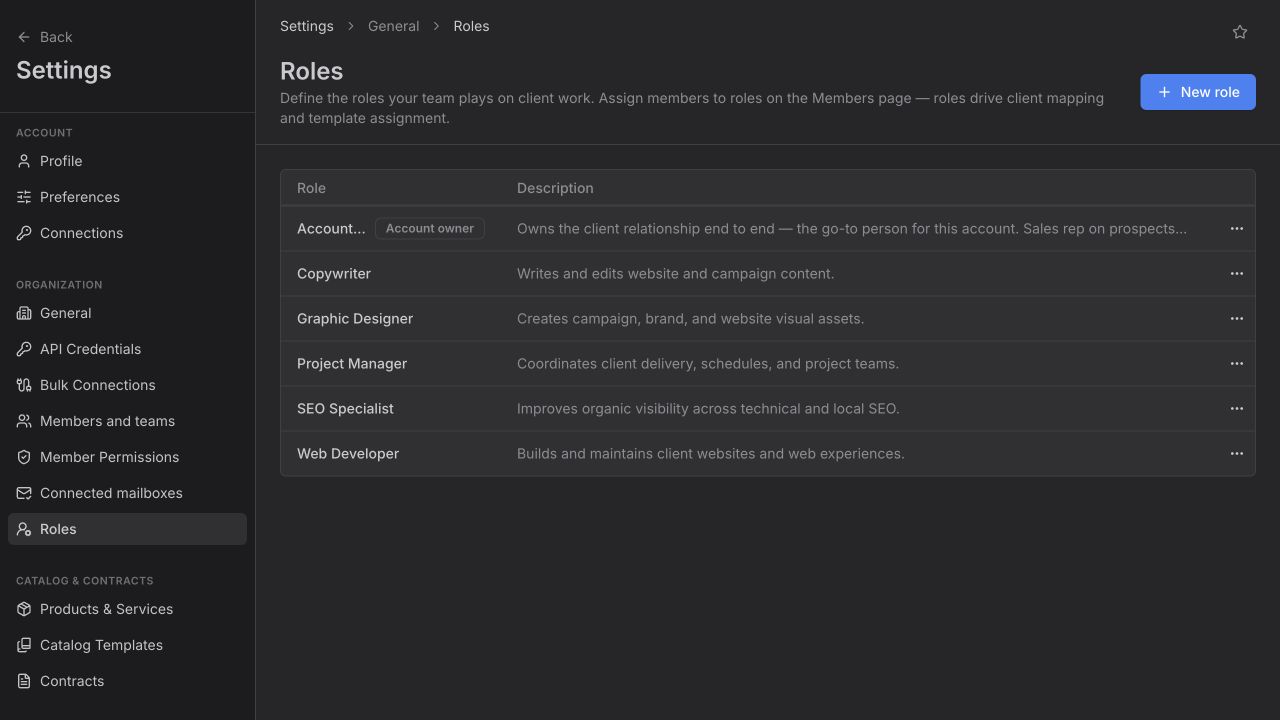
Why they don't overlap
A job role does not grant access. Naming someone "SEO Specialist" does not let them invite a teammate or edit your price book; only their org role decides that.
An org role does not describe work. Making someone an Admin does not put their name on any client. Only job roles do that.
So the two questions are genuinely separate:
| Question | Answer comes from |
|---|---|
| Can this person invite someone? | Org role |
| Can this person edit our roles list? | Org role |
| Who runs SEO for Northside Dental? | Job role, assigned on that client |
| What is this person responsible for across all clients? | Job roles |
A common and correct shape: your SEO lead holds the SEO Specialist job role on twenty clients and has the org role Member. They do a lot; they administer nothing.
One more word that isn't either of these
People in the main navigation is your client-side contact list — the humans at your clients' companies. It has no roles of any kind on it. Your own teammates live under Settings → Members and teams. If you're looking for a coworker and can't find them in People, that's why.
Where to go next
- What each org role can do — the access levels, side by side.
- Set up team roles — create the job roles your agency uses.
- Invite a teammate — set both on one page.
- Assign client role owners — put job roles to work on an account.
Open questions — draft only
- docs/role-and-permission-architecture.md still describes job roles as a fixed code-level list (elt, growth, am, sales, web, support). The shipped product treats them as a table each workspace creates for itself. This article documents the shipped behaviour; the doc looks stale.