Add people
draft · 2 image slots
People are the contacts your agency works with at a company. By the end, you will have created or attached the contact on the correct company record and, when appropriate, marked the main contact as primary.
Start from the company
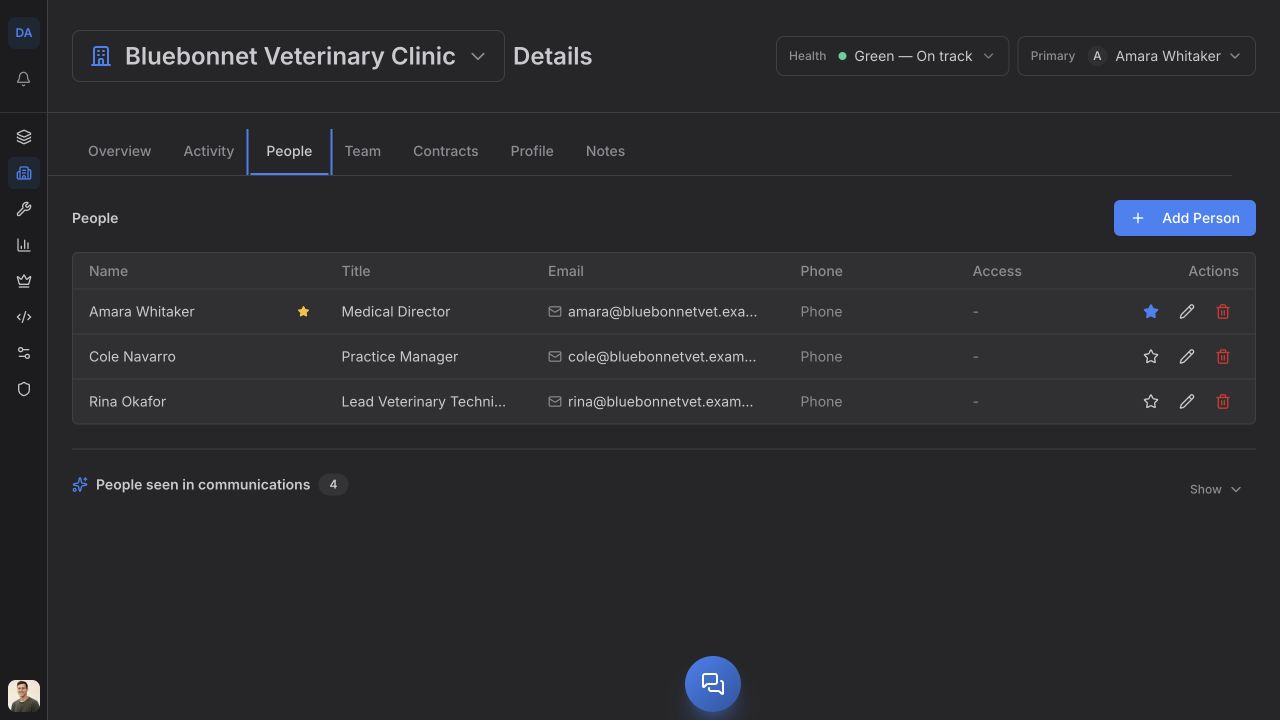
The safest path is Companies → choose the company → People. Choose Add Person; if the list is empty, choose Add First Person.
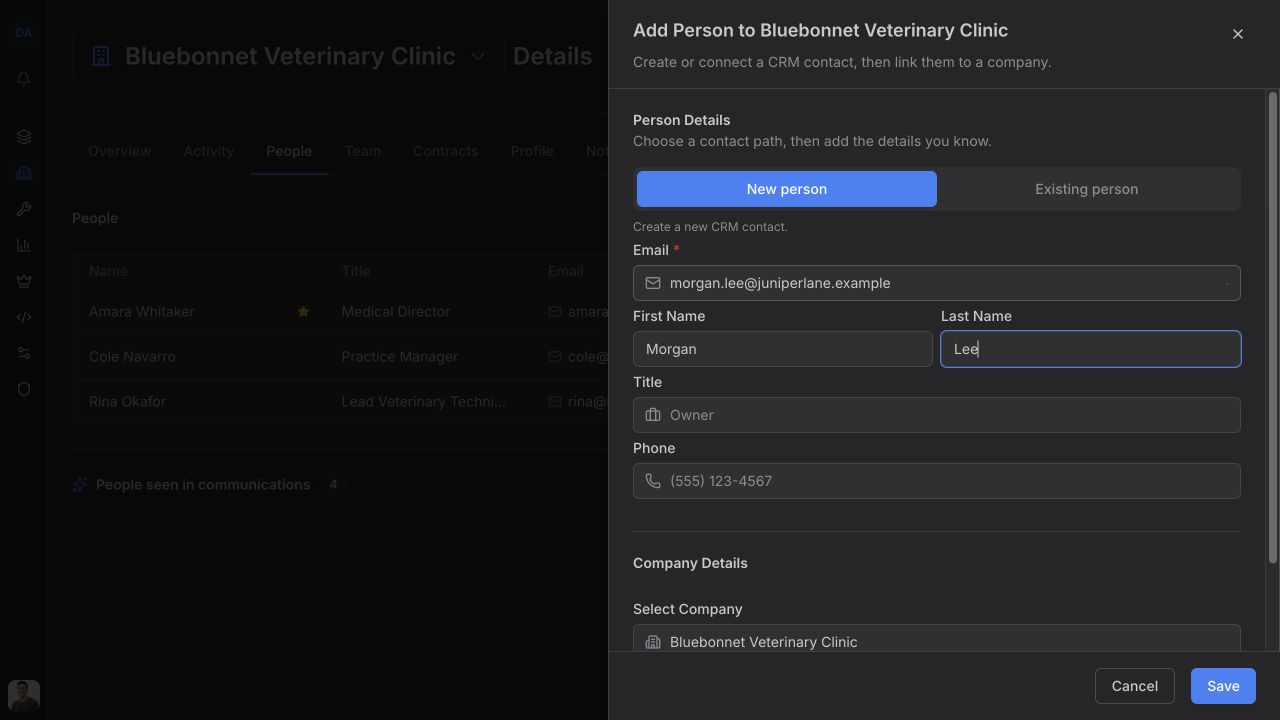
The sheet title confirms the destination as Add Person to company name, and the company is locked in. This removes the risk of attaching the contact to the wrong record.
Create a new contact
- Keep New person selected under Person Details.
- Enter Email. This is required.
- Add First Name, Last Name, Title, and Phone when you know them.
- Under Company Details, confirm Select Company shows the company you opened.
- Turn on Set as primary person for this company if this is the main relationship contact.
- Choose Save.
The primary person is shown at the top of the company record. New contracts use that person as the default recipient.
Attach a person who already exists
If the person is already in Feta, do not create a duplicate.
- Choose Existing person.
- Use Search Existing People to search by name, email, or a company already linked to them.
- Select the person.
- Turn on Set as primary person for this company if needed.
- Choose Attach Person.
If you start under New person and enter an email Feta already knows, the sheet explains that it will reuse the existing contact and attach them to this company. The save button changes to Attach Person.
Check the result
The person appears on the company's People tab. A primary contact sorts to the top and is marked there. Use the main People page when you need to find contacts across companies; use the company tab when the relationship to one company matters.