The company record
draft · 2 image slots
The company record is the working home for one client, prospect, vendor, or partner. By the end, you will know which tab holds each kind of information and when to use the separate company Projects view.
Open a company
Open Companies and choose a row. Feta opens Details for that company, with the selected company shown at the top.
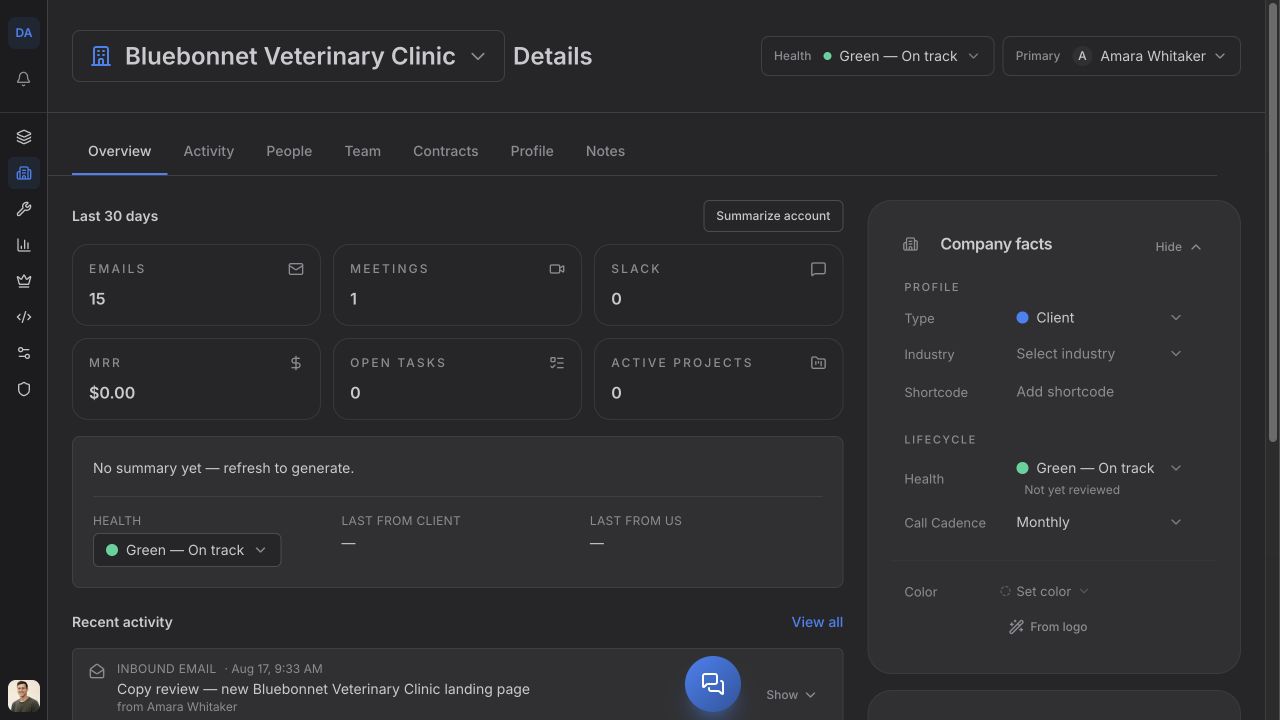
The tabs inside Details are Overview, Activity, People, Team, Contracts, Profile, and Notes. Contracts may be absent if it has not been turned on for your workspace; ask us to turn it on if you need it.
Overview: the account at a glance
Overview brings together the current pulse, recent activity, and Company facts. Use Company facts to update Type, Industry, Shortcode, Health, Call Cadence, location details, phone, and the company's task color.
Choose Summarize account for a short summary of recent activity. Choose View all beside Recent activity to move to the full Activity tab.
Activity: the relationship timeline
Activity is a dated timeline of activity already linked to the company. Use its channel chips to narrow what is available. An empty timeline means no matching activity has been recorded for that company.
People: the client contacts
People holds the contacts attached to this company. Add a new contact, attach a person who already exists, edit contact details, or set the primary person here. The primary person also appears at the top of the company record.
Team: who owns the relationship
Team separates Account owner from Roles. The account owner is the main agency owner for the company. Roles record who performs each responsibility for that client.
Contracts: what the client agreed to
Contracts lists the company's contracts and their current statuses. Open a contract to review its dates, value, package or service breakdown, and available history. While Contracts is open, use Create contract at the top of the company record when you need a new one.
Profile: integrations, websites, and working links
Profile has three sections:
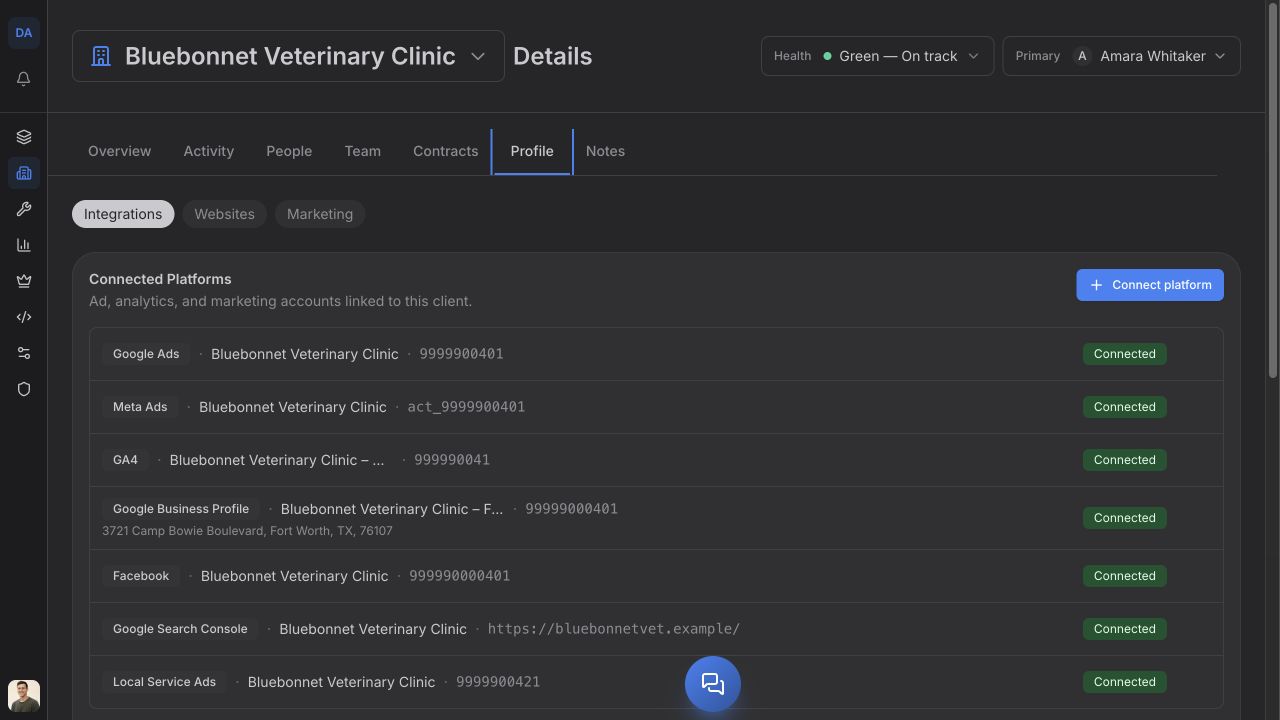
- Integrations — connect and check Google Analytics 4 and Google Search Console under Connected Platforms.
- Websites — record websites and their hosting, domain, repository, support, and related work details.
- Marketing — keep Digital Profiles such as Website, Staging Site, Facebook, Instagram, LinkedIn, and Twitter, plus Workspace Links for Google Drive, Figma, and Slack.
Notes: meeting knowledge
Notes stores meeting notes for the company. Choose Add Meeting to create one, and use the search field to find notes by title, creator, or content later.
Projects: the company's work
Projects are not another tab inside Details. Use Company → Projects in the company navigation to see the selected company's projects. Return to Company → Details for the record described in this article.