Assign client role owners
draft · 3 image slots
By the end of this, one client's record answers "who does what here" — an account owner, and a named person for every kind of work your agency does. Do it once per client, ideally when you add them; it takes a minute and it's what makes every later "show me my accounts" view work.
This uses job roles, so your workspace needs some first: Set up team roles.
Open the Team tab
From Companies, open the client. That lands you on the company record. Choose the Team tab.
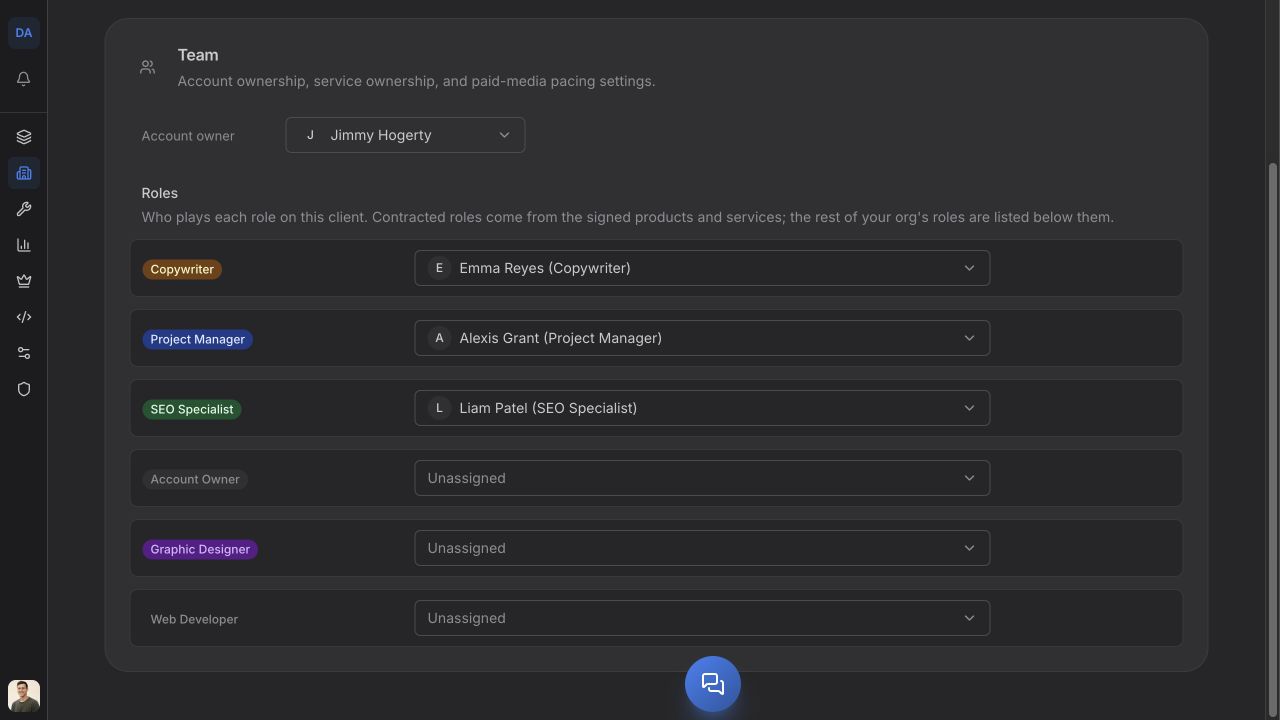
If the roles list is empty you'll see: No roles are defined in your organization yet. Create them under Settings → Roles.
Set the account owner
Account owner sits at the top of the tab, above the roles. It's the one person who owns the relationship. Click the field, pick a teammate, done — it saves as you choose.
This field and the job role badged Account owner on your roles list are the same thing. Set either one and the other follows. You'll also meet it on the Companies list, where the column is headed Account Manager and you can set it inline from the row. Three places, one answer.
Assign each role
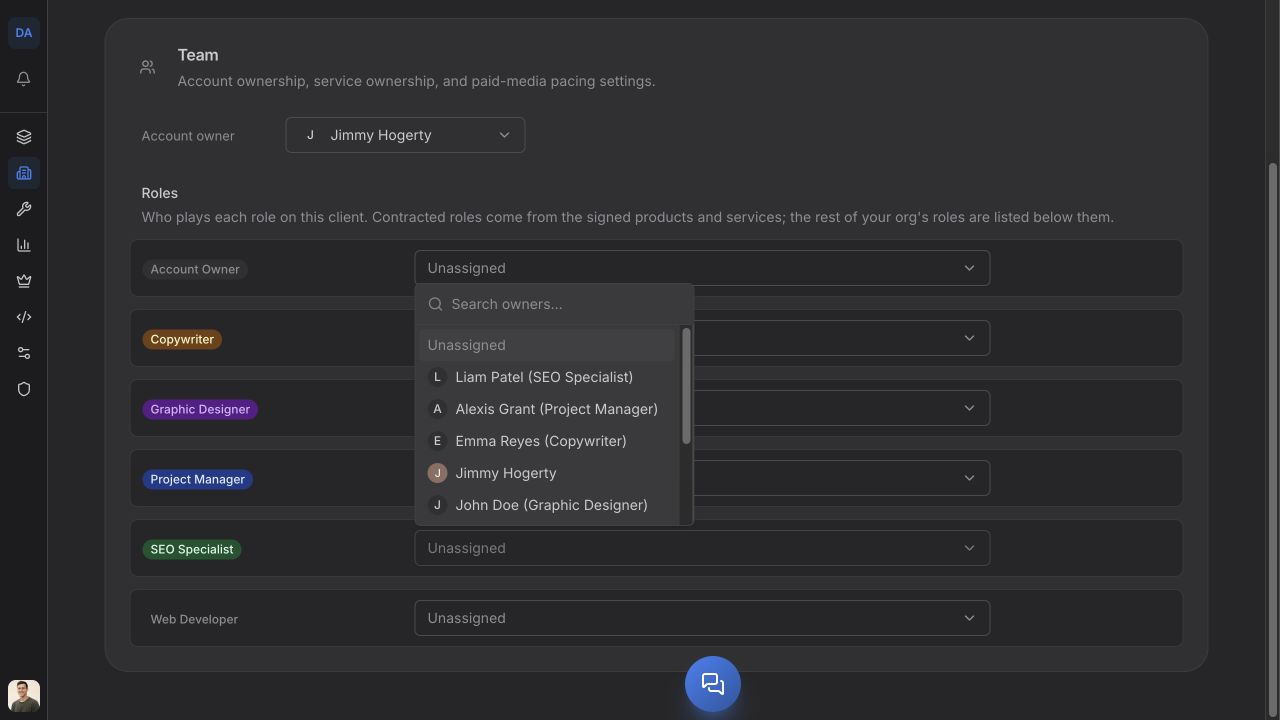
Under Roles, every active job role in your workspace gets a row, with a person picker beside it. Pick who plays that role on this client. Each change saves on its own and confirms with Role assigned.
The picker lists everyone in your workspace, with the people who already hold that job role floated to the top — a hint, not a restriction. If your SEO Specialist is on leave and the account manager is covering, you can put the account manager there.
To clear a row, choose Unassigned in the picker. Feta confirms Role cleared and the role goes back to having nobody on it for this client.
One person per role per client. Assigning someone replaces whoever was there, so this is also how you hand an account over.
The "Contracted" badge
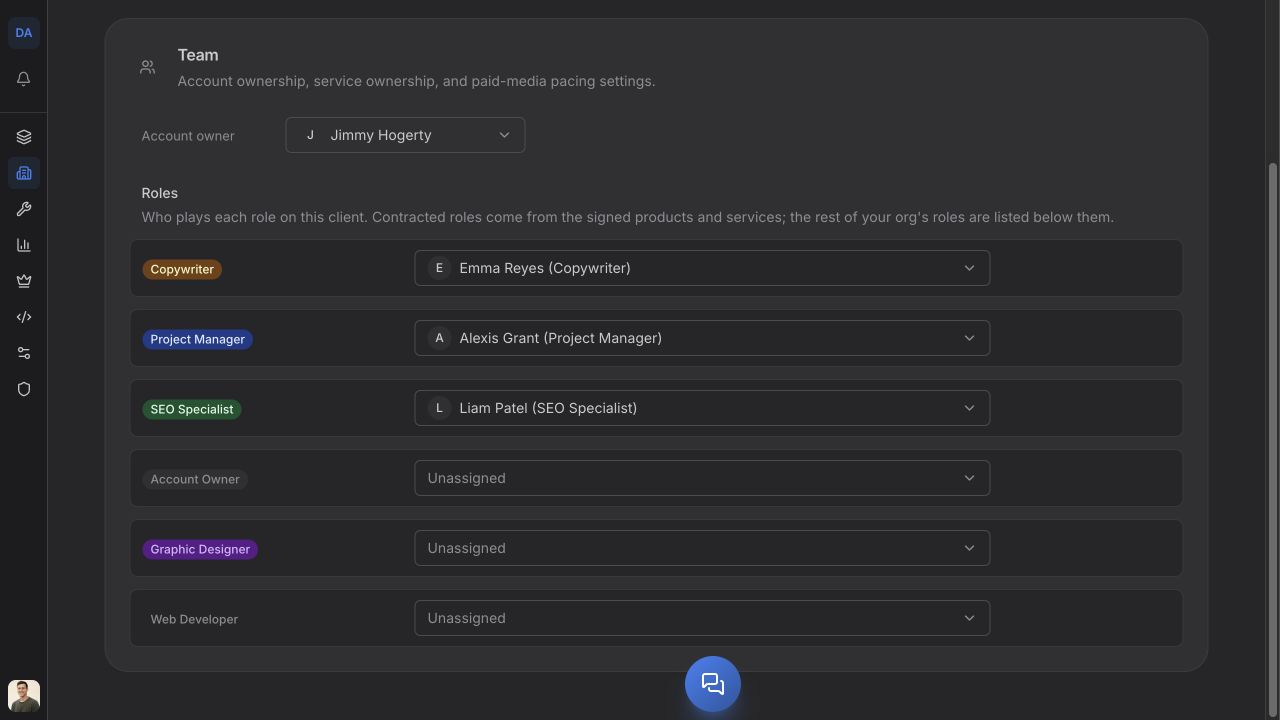
Some rows carry a Contracted badge and sort to the top of the list. That means this client has actually bought work of that kind — a service on their signed contract is tied to that role.
Treat those as the rows that matter most. A contracted role with nobody's name on it is work you've sold and not staffed. Roles without the badge are still assignable; they're just not things this client is currently paying for.
Do this for every client
The value compounds. Once every client has its roles filled in, the question "what is this person responsible for" has a real answer across the whole book of business — and when someone leaves, offboarding walks their client role assignments and hands them to a successor instead of leaving accounts quietly unowned. Empty role rows are the thing that breaks that, so it's worth a pass across your client list once you've settled your roles.
Where to go next
- Set up team roles — if a role you need is missing.
- Job role vs. org role — why assigning a role here changes nobody's access.
- The company record — what the rest of the tabs do.
Open questions — draft only
- Which org roles may change a client's role assignments is deliberately not stated here — the shipped behaviour is awaiting an explicit product sign-off, so the article gives the steps without characterising who can take them.
- The Companies list column over the same field is headed "Account Manager" while Company > Details heads it "Account owner". Documented as-is; a single wording would be better.