Add a company
draft · 2 image slots
A company is the starting point for its people, contracts, projects, tasks, and dashboards. By the end, you will have the company in Feta with the right current type, ready for the rest of its record.
Add the record
- Open Companies.
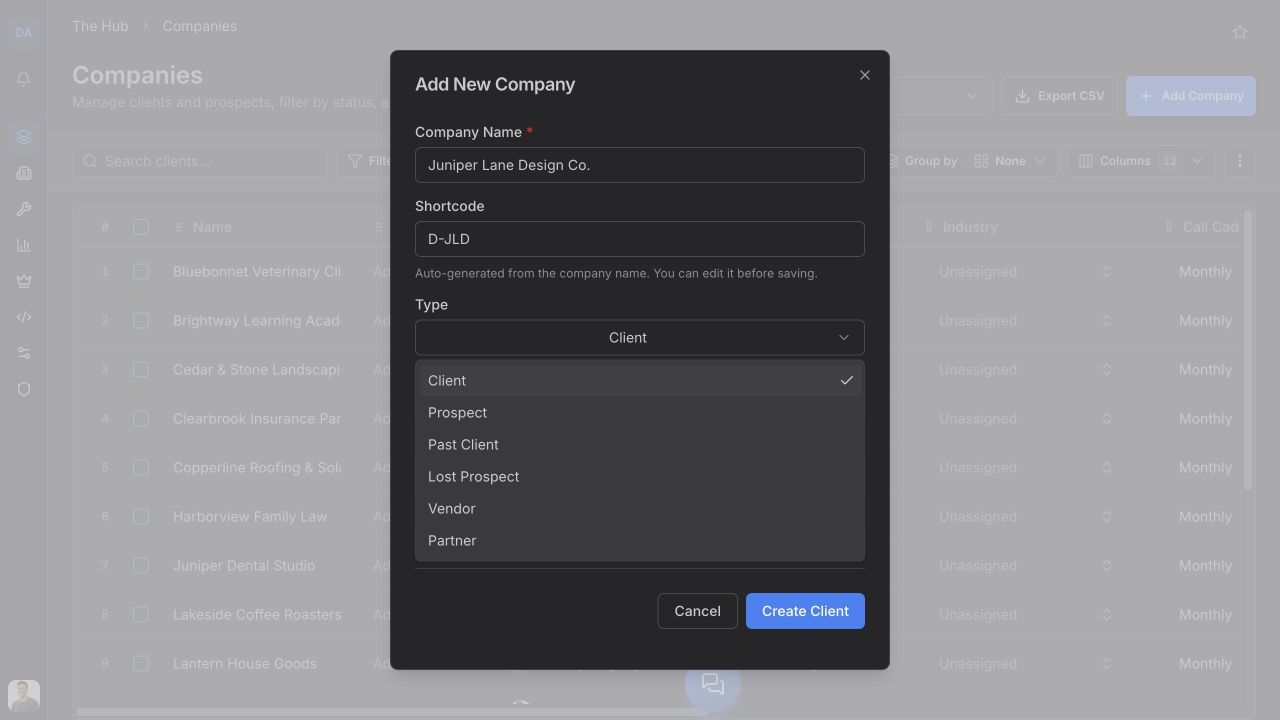
- Choose Add Company.
- Enter Company Name.
- Under Type, choose what the company is to your agency right now. Use Prospect while you are still selling and Client when the working relationship is active.
- Choose an Industry.
- Review Owner and the suggested Shortcode if you want to change either one.
- Choose Create Prospect, Create Client, or the matching create button for the type you selected.
Company Name and Industry are required. Feta suggests a shortcode from the name and lets you edit it before saving. The owner starts with you selected when your user is available.
Stop if Feta finds the company
As you enter the name, the Shortcode helper can show Existing company found. If it does, cancel the dialog and open that company instead. This keeps its people and work attached to one record.
Turn a prospect into a client
Do not add the company again when a deal closes. The prospect and client are the same record.
- Open the prospect from Companies.
- Stay on Overview.
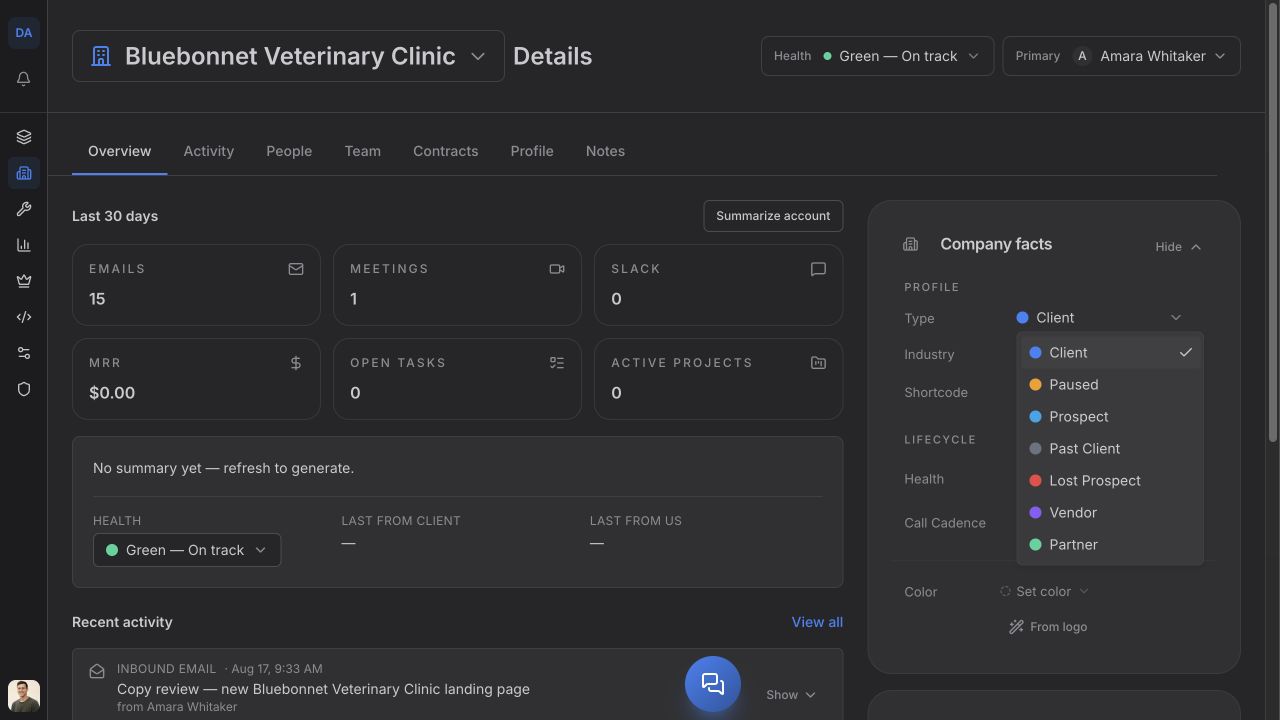
- In Company facts, open Type.
- Choose Client.
Feta saves the new type on that record. Its people and the rest of its company history stay with it.
Add the next pieces
Once the company exists, add its contacts under People, assign agency ownership under Team, and connect Google Analytics or Search Console under Profile → Integrations.